Glance at your phone, your laptop, and your wristwatch in the same room and it’s entirely normal to see three different numbers, sometimes off by seconds, sometimes by whole minutes. That’s not a malfunction in any one of them. It’s the visible seam where at least four separate timekeeping systems meet, none of which are required to check in with each other, none of which run on the same schedule, and one of which doesn’t check in with anything at all.
Not Every Clock Is Actually Checking
The simplest reason a device disagrees with everything else in the room is that it was never built to ask. A traditional quartz wristwatch has no network connection and no external reference; it keeps time by counting the vibrations of a quartz crystal, and that crystal’s oscillation rate shifts slightly with temperature, age, and manufacturing tolerance. A typical consumer quartz movement is rated to drift somewhere around 15 to 20 seconds a month, gaining or losing time in one direction with total consistency, since there’s nothing built in to notice or correct the error. Given a few weeks, that drift is more than enough to explain why an ordinary watch and a phone in the same pocket stop agreeing.
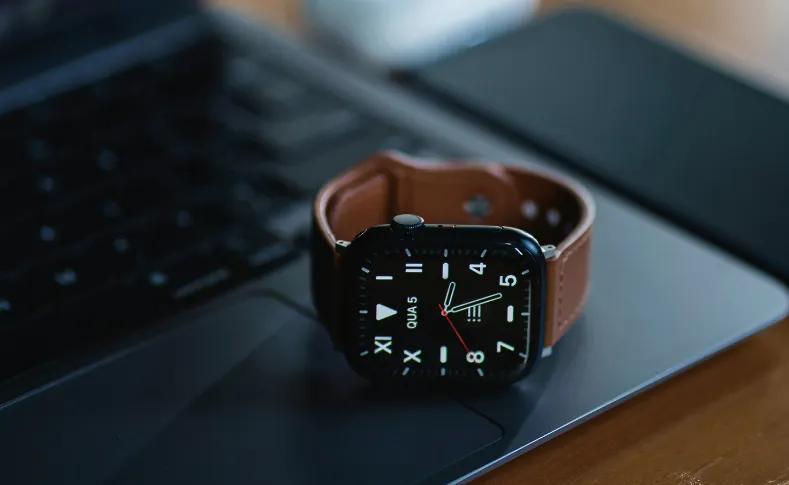
A smartwatch looks like it should avoid that problem entirely, and mostly it does, but through a different route than a phone or laptop. Most smartwatches don’t run their own independent NTP client; they inherit the time from whatever phone they’re paired to over Bluetooth, syncing whenever the connection is active. Disconnect the watch, leave it in airplane mode, or wander out of Bluetooth range for a while, and it falls back on its own internal clock until the link comes back, drifting quietly in the meantime just like a quartz watch would, only for as long as the disconnection lasts rather than permanently.
Your Phone Trusts the Cell Tower, and the Cell Tower Isn’t Always Reliable
Phones have a second option watches don’t: a cellular network that already knows the time. The mechanism is called NITZ, Network Identity and Time Zone, an optional feature of the GSM standard that lets a carrier’s tower broadcast the current time, time zone, and daylight saving offset directly to any phone listening. It’s been part of the standard since the mid-1990s, and it’s convenient specifically because it works without an internet connection at all. The catch is built into the specification itself: the official standard describes NITZ’s accuracy as being only “in the order of minutes,” and implementation quality varies enormously from one carrier and region to the next, since broadcasting the time correctly is entirely optional under the spec rather than mandatory.
That weakness is exactly why modern phones have shifted away from relying on it alone. Since Android 12, the operating system defaults to NTP over the internet whenever a connection is available, falling back to NITZ only when NTP can’t be reached, typically syncing against a pool of servers roughly every 18 hours. NITZ still matters most in exactly the situations where it’s weakest: areas with poor carrier infrastructure, regions where a shared time zone straddles a daylight saving boundary, or the moment a phone first powers on with no data connection yet.
Your Computer Checks In Far Less Often Than You’d Expect
Desktop and laptop computers almost universally rely on NTP rather than any cellular signal, which sounds like it should make them the most reliable clock in the house. In practice, how often a given machine actually checks depends heavily on how it’s configured. A phone typically polls a time server multiple times a day. A standalone Windows computer that isn’t joined to a corporate domain has historically synced far less frequently by default, often closer to once a week, simply because keeping a personal laptop’s clock accurate to the second was never treated as urgent enough to justify constant network chatter. Between syncs, the machine’s own internal clock, usually a lower-precision oscillator than what goes into a phone, drifts quietly on its own. A laptop that’s been asleep, offline, or disconnected from a network for a stretch can end up several seconds or more off before its next scheduled check-in ever happens.
GPS Devices Run on a Clock That’s Deliberately Not UTC
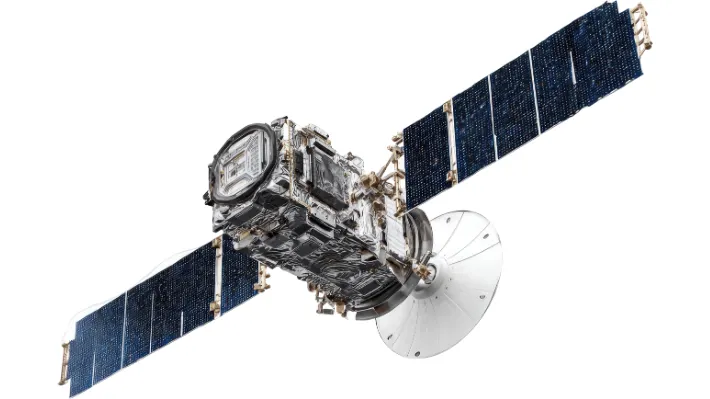
Car navigation systems, fitness watches with GPS, and dedicated GPS receivers pull time from satellites rather than any terrestrial network, and that time is, at its root, not the same thing as UTC at all. GPS time is a continuous count of seconds since January 6, 1980, and by design it never incorporates leap seconds, the occasional single-second adjustments periodically added to UTC to keep it aligned with Earth’s actual rotation. Every leap second added since 1980 has pushed GPS time further from UTC; the gap currently sits at exactly 18 seconds, unchanged since the last leap second was added at the end of 2016. GPS satellites broadcast that offset alongside the raw time signal specifically so receivers can apply the correction automatically, which is why nobody actually sees their car’s clock running 18 seconds ahead. The correction happens invisibly, but the underlying reason it has to exist at all, an atomic-precision clock that was deliberately built to never stop for anything, including a leap second, is baked into how GPS was designed from the start.
Every clock in your life is honest about the time it’s tracking. They just aren’t all tracking the same one, or checking it on the same schedule. worldtimedata
Sometimes the Explanation Is Simpler: A Person Changed Something
Not every mismatch traces back to a protocol. Automatic time and time zone settings can be switched off entirely, sometimes deliberately while traveling and never switched back, sometimes by an app or a settings reset nobody noticed. Older, simpler devices make the problem worse: a car stereo, a microwave, or a device without a battery backup for its clock loses its time entirely the moment it loses power, resetting to a default like 12:00 or an epoch date, and has no way to recover the correct time until someone sets it manually, since it has no sync mechanism to fall back on in the first place.
A subtler version of the same problem happens even on devices with perfectly good automatic sync: an out-of-date time zone database. Time zone rules are maintained centrally and pushed out as updates, and a device running old software can have its underlying UTC time exactly right while still displaying the wrong local time, because the rule it’s using to convert UTC into a local clock reading, especially around a daylight saving transition, hasn’t been updated to match a rule change a government made only recently.
Even Two Correctly Synced Clocks Aren’t Perfectly Synced
Strip away every human error, every weak signal, and every outdated database, and a small gap can still survive. NTP itself only promises accuracy to within a few milliseconds over the open internet, since its calculation depends on measuring network delay that isn’t perfectly symmetric in either direction. That’s normally far too small to notice on a clock face showing hours and minutes, but it means “synced” was never a claim of perfection to begin with, even in the best-case scenario where every device is doing exactly what it was designed to do.
Four Systems, No Shared Deadline
A watch drifts because nothing is watching it. A phone leans on a cell tower that’s only obligated to be roughly right. A computer checks in on its own schedule, sometimes measured in hours, sometimes in days. A GPS device works from a clock that was never UTC in the first place and quietly corrects itself before anyone sees the difference. None of these systems were built to agree with each other; they were each built to solve their own version of the same problem, on their own timeline, and the handful of seconds or minutes separating the clocks in your pocket is just what that looks like from the outside.