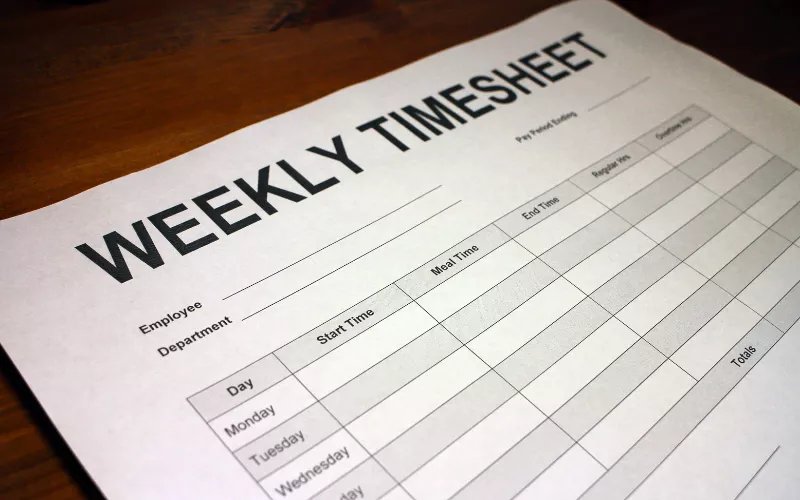
To convert minutes to decimal hours, divide the minutes by 60. Thirty minutes is 30 ÷ 60 = 0.5 hours, so 7 hours 30 minutes is 7.5 hours, not 7.3. That single rule covers every case, but payroll errors rarely come from not knowing it. They come from reading a clock time as if it were a decimal, from rounding at the wrong step, and from spreadsheets that store time as a fraction of a day. This guide covers the conversion, a full table for every minute, and the places where timesheets usually go wrong.
The Conversion in One Line
An hour has 60 minutes, so each minute is one sixtieth of an hour. Clock time is written in base 60 (hours and minutes), while payroll multiplies hours by a rate in base 10. Converting is simply moving the minutes from one system to the other; the reason the hour has 60 parts in the first place is covered in why there are 60 minutes in an hour.
7:30 → 7 + 30 ÷ 60 = 7.5
8:47 → 8 + 47 ÷ 60 = 8.7833 → 8.78
Back to minutes: decimal part × 60
7.85 → 0.85 × 60 = 51 → 7 hours 51 minutes
A mental shortcut works for any multiple of 6 minutes: 6 minutes is exactly one tenth of an hour, so divide the minutes by 6 to get tenths. 42 minutes ÷ 6 = 7, so 42 minutes is 0.7 hours. 18 minutes is 0.3. 54 minutes is 0.9.
Minutes to Decimal Hours: Full Table
The table gives every minute from 1 to 60, rounded to two decimal places, the precision most payroll systems use. Values in multiples of 3 minutes (3, 6, 9 and so on) are exact; the rest are rounded.
| Min | Hours | Min | Hours | Min | Hours |
|---|---|---|---|---|---|
| 1 | 0.02 | 21 | 0.35 | 41 | 0.68 |
| 2 | 0.03 | 22 | 0.37 | 42 | 0.70 |
| 3 | 0.05 | 23 | 0.38 | 43 | 0.72 |
| 4 | 0.07 | 24 | 0.40 | 44 | 0.73 |
| 5 | 0.08 | 25 | 0.42 | 45 | 0.75 |
| 6 | 0.10 | 26 | 0.43 | 46 | 0.77 |
| 7 | 0.12 | 27 | 0.45 | 47 | 0.78 |
| 8 | 0.13 | 28 | 0.47 | 48 | 0.80 |
| 9 | 0.15 | 29 | 0.48 | 49 | 0.82 |
| 10 | 0.17 | 30 | 0.50 | 50 | 0.83 |
| 11 | 0.18 | 31 | 0.52 | 51 | 0.85 |
| 12 | 0.20 | 32 | 0.53 | 52 | 0.87 |
| 13 | 0.22 | 33 | 0.55 | 53 | 0.88 |
| 14 | 0.23 | 34 | 0.57 | 54 | 0.90 |
| 15 | 0.25 | 35 | 0.58 | 55 | 0.92 |
| 16 | 0.27 | 36 | 0.60 | 56 | 0.93 |
| 17 | 0.28 | 37 | 0.62 | 57 | 0.95 |
| 18 | 0.30 | 38 | 0.63 | 58 | 0.97 |
| 19 | 0.32 | 39 | 0.65 | 59 | 0.98 |
| 20 | 0.33 | 40 | 0.67 | 60 | 1.00 |
Why only multiples of 3 come out exact: a fraction has a finite decimal only if its denominator, once reduced, contains no prime factors other than 2 and 5. Sixty is 2 × 2 × 3 × 5, so the factor of 3 must cancel. That happens only when the minutes are divisible by 3, which leaves 20 exact values per hour. Every other minute produces a repeating decimal: 1 minute is 0.01666…, 20 minutes is 0.3333… Rounding to two places changes any value by at most 0.005 hours, which is 18 seconds.
The Mistakes That Cost Real Money
The most common timesheet error is copying a clock time straight into a decimal field. A colon and a decimal point look similar, but 7:30 means 7 hours and 30 sixtieths, while 7.3 means 7 hours and 3 tenths.
| Time worked | Wrong entry | Correct decimal | Error |
|---|---|---|---|
| 7:30 | 7.3 | 7.50 | 12 minutes short |
| 7:45 | 7.45 | 7.75 | 18 minutes short |
| 8:10 | 8.1 | 8.17 | 4 minutes short |
| 7.5 hours read as clock time | 7:50 | 7:30 | 20 minutes over |
Every entry with minutes is underpaid this way, because the minutes are counted in hundredths instead of sixtieths. The shortfall equals the minutes divided by 150, in hours, so it grows with the minutes: at :59, entered as .59 instead of .98, the loss is 0.39 hours, about 24 minutes. As an illustration, an employee who works 7:45 a day, entered as 7.45, at $20 an hour loses 0.3 hours, or $6, per shift. Over 260 workdays, that is 78 hours and $1,560 a year. The reverse mistake, reading 7.5 as 7:50, overstates time by 20 minutes per entry.
Round the Total, Not Every Line
When to round matters as much as how. Rounding each day before adding introduces a small error into every line, and those errors can accumulate. Adding the minutes first and converting the total once avoids that.
| Day | Time worked | Two decimals | Tenths |
|---|---|---|---|
| Monday | 7:58 | 7.97 | 8.0 |
| Tuesday | 8:07 | 8.12 | 8.1 |
| Wednesday | 7:43 | 7.72 | 7.7 |
| Thursday | 8:11 | 8.18 | 8.2 |
| Friday | 7:52 | 7.87 | 7.9 |
| Sum of rounded days | 39.86 | 39.9 | |
| Total converted once | 39:51 | 39.85 | 39.9 |
The minutes add up to 171, or 2 hours 51 minutes, so the week is 39 hours 51 minutes, which is 39.85 hours exactly. Rounding each day to two decimals overstates it by 0.01 hours, 36 seconds. Rounding each day to tenths gives 39.9, which is 0.05 hours, or 3 minutes, above the exact value. In this week the errors happened to favor the employee; in another week they could run the other way. The safest practice is to keep minutes until the end and convert the total once. A work hours calculator does this automatically from start and end times, including unpaid breaks.
Converting Time in Excel and Google Sheets
Spreadsheets store a time as a fraction of a 24-hour day, not as hours. Excel treats 7:30 as 0.3125, because 7.5 hours is 0.3125 of 24 hours. To turn any time value into decimal hours, multiply by 24.
Shift length: =(B2-A2)*24
Shift with unpaid break: =(B2-A2-C2)*24
Night shift past midnight: =MOD(B2-A2,1)*24
Round the weekly total: =ROUND(SUM(D2:D8),2)
Two settings cause most spreadsheet errors. The result cell must be formatted as a number, not as time, or 7.5 will display as a clock time. And a weekly total in hours and minutes must use the custom format [h]:mm, with brackets; the plain h:mm format resets after 24 hours, so a 39:51 week would display as 15:51. Timesheets that record start and end on a 24-hour clock avoid AM/PM mix-ups at the same time; the convention is explained in what military time is.
Conversion Is Not the Same as Rounding Punches
Converting minutes to decimals is arithmetic. Rounding the clock-in and clock-out times themselves is a pay policy, and in the United States it is regulated. Under 29 CFR 785.48(b), the Department of Labor accepts recording start and stop times to the nearest 5 minutes, the nearest tenth of an hour (6 minutes) or the nearest quarter hour, provided the practice does not, over a period of time, fail to pay employees for all the time they actually worked. The Texas Workforce Commission summarizes the condition plainly: rounding must work both ways, sometimes in the employee’s favor and sometimes in the employer’s.
| Rounding increment | Decimal steps | Breakpoint | Example punch |
|---|---|---|---|
| Nearest 5 minutes | 0.08, 0.17, 0.25… | 2.5 minutes | 8:02 → 8:00; 8:03 → 8:05 |
| Nearest tenth (6 minutes) | 0.1, 0.2, 0.3… | 3 minutes | 8:02 → 8:00; 8:04 → 8:06 |
| Nearest quarter hour | 0.25, 0.5, 0.75 | 7.5 minutes | 8:07 → 8:00; 8:08 → 8:15 |
The quarter-hour version is often called the 7-minute rule: punches 1 to 7 minutes past a quarter hour round down, and 8 to 14 minutes past round up. The tenth-of-an-hour increment is the one that fits decimal payroll most cleanly, because every rounded value is an exact tenth with no repeating decimals. State law can be stricter than the federal rule, so the increment a company may use depends on where the work is done.
Decimal hours also feed directly into overtime. Under federal law, non-exempt employees are paid time and a half for hours over 40 in a workweek, so a week of 41.25 decimal hours includes 1.25 overtime hours. Why 40 became the threshold is covered in why the 40-hour work week exists, and how those weekly hours add up over a full year, and why 2,080 is not always the right annual figure, is explained in how many working hours are in a year.